 Proxly
Your homelab, in your pocket.
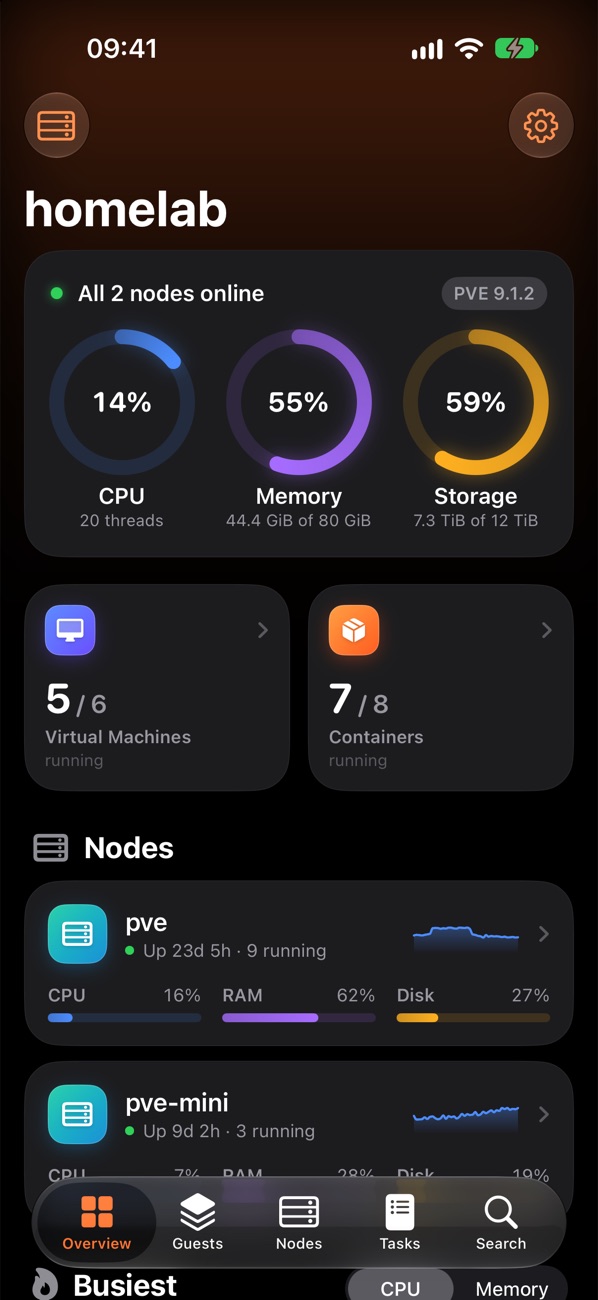
Proxly is a Proxmox VE app built for homelabbers. See every node, VM and container at a glance, check how they're doing, and handle the everyday jobs — start, stop, snapshot, back up — without reaching for a laptop.
For iPhone · Requires iOS 26
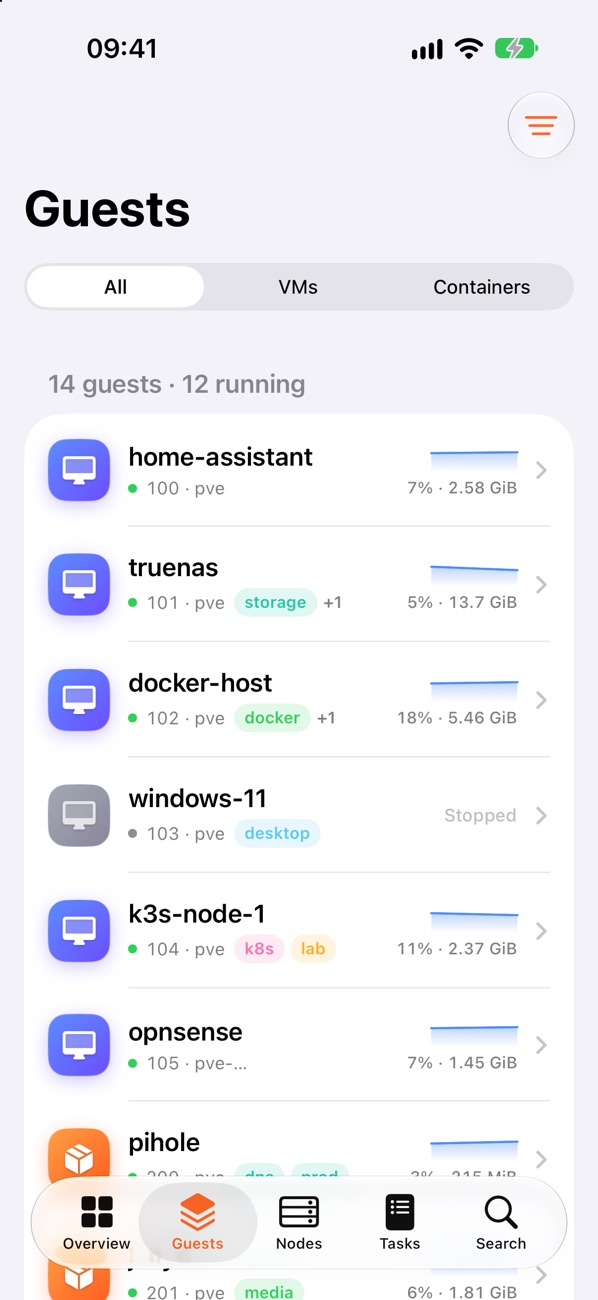
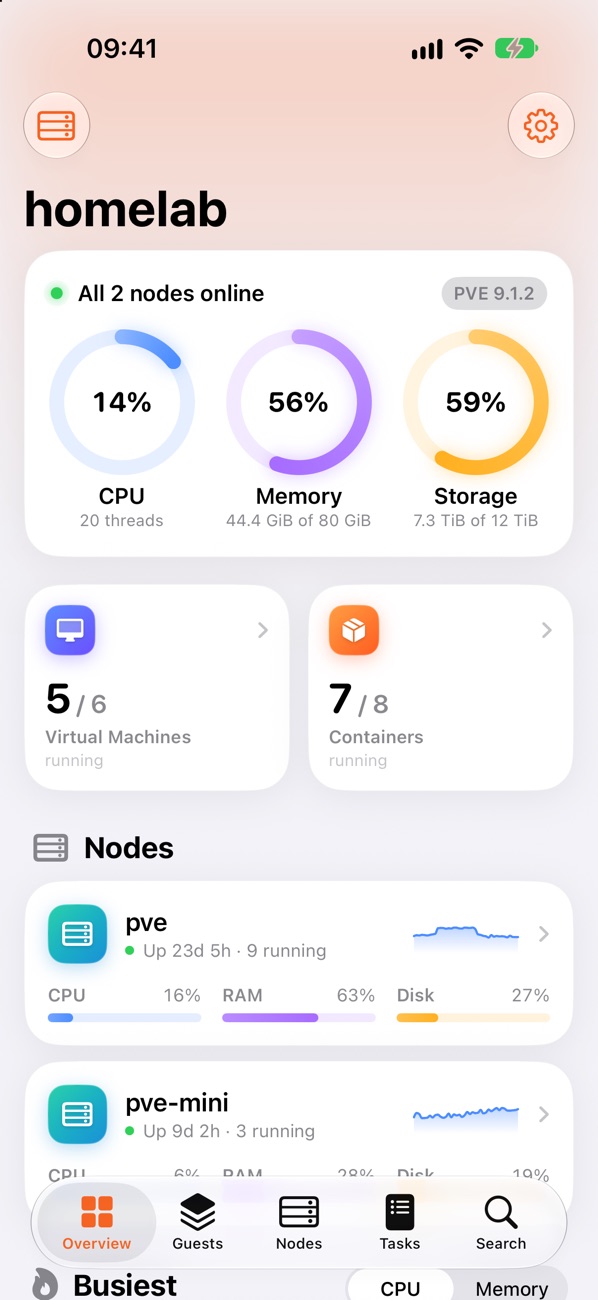
The Proxmox web UI, rethought for a phone.
Proxly focuses on what you actually reach for in a homelab — not every setting in the datacenter.
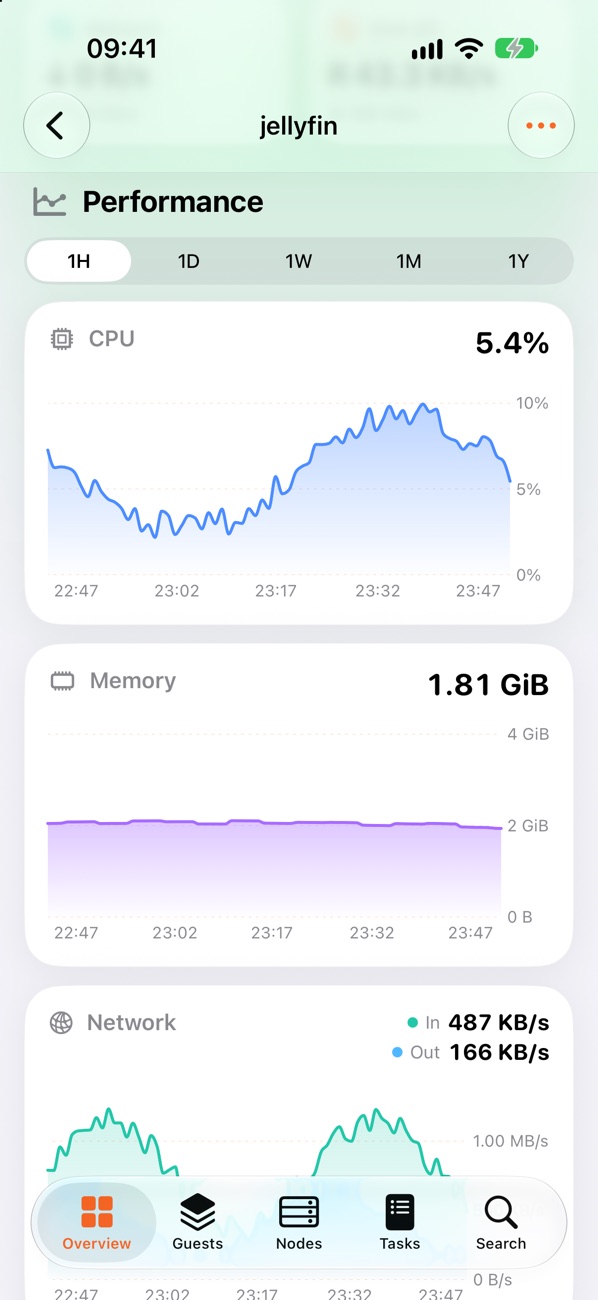
Live monitoring
CPU, memory, disk and network for the cluster, every node and every guest, with charts from the last hour to the last year.
One-tap power
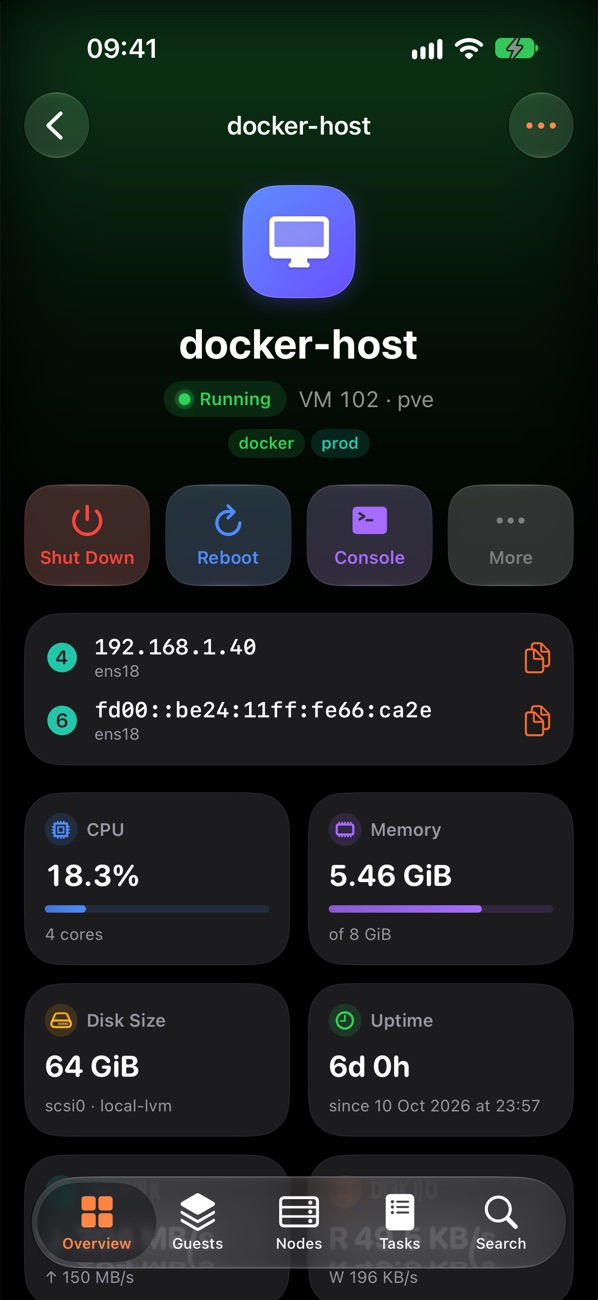
Start, shut down, reboot, suspend or stop VMs and containers. Swipe from the list or use the big buttons on the detail page.
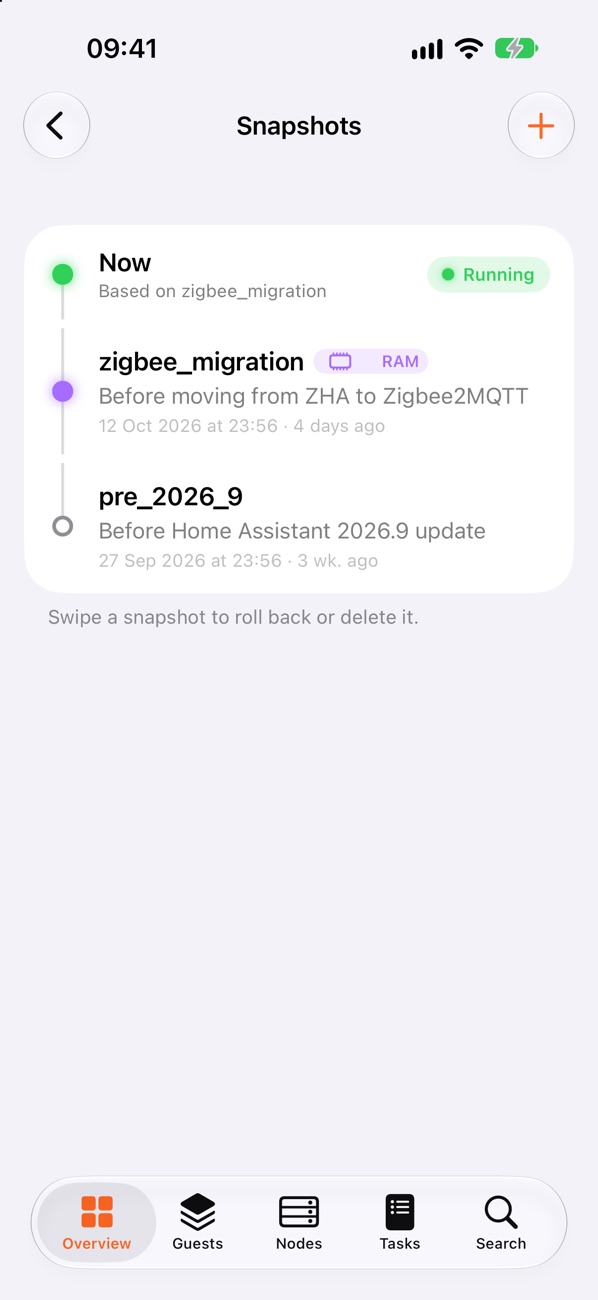
Snapshots
A timeline of every snapshot. Take one before an upgrade, roll back when it goes wrong, tidy up old ones.
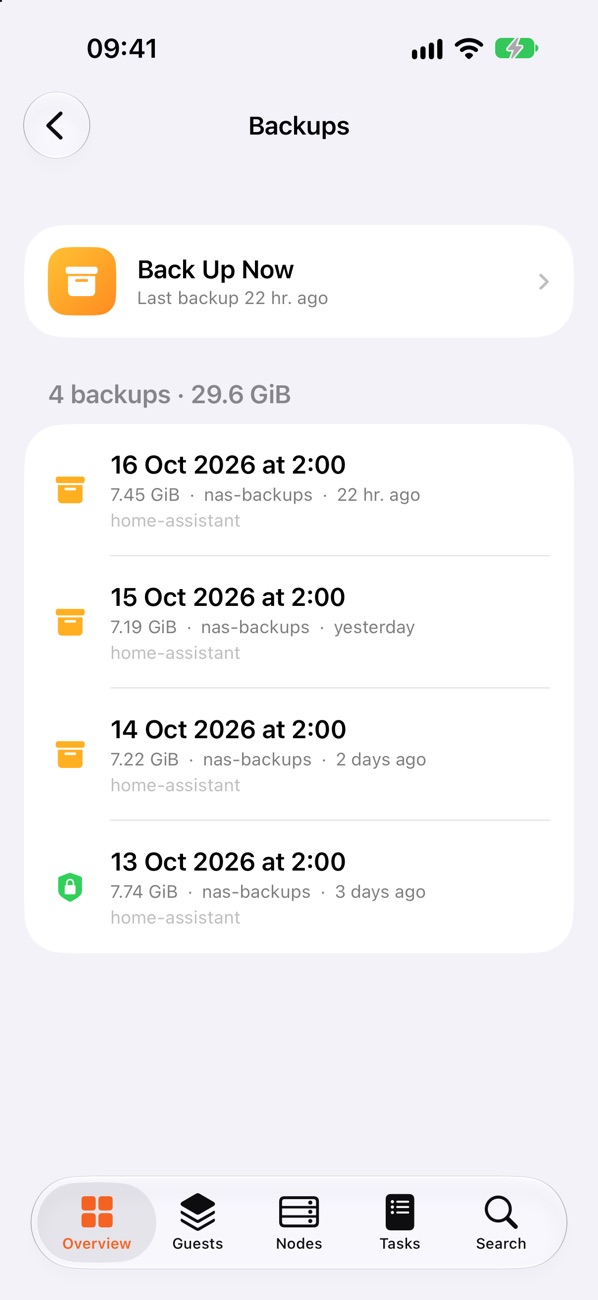
Backups & restore
Back up now to any storage, browse existing backups, restore or delete them. Clone a guest in a couple of taps.
Nodes & updates
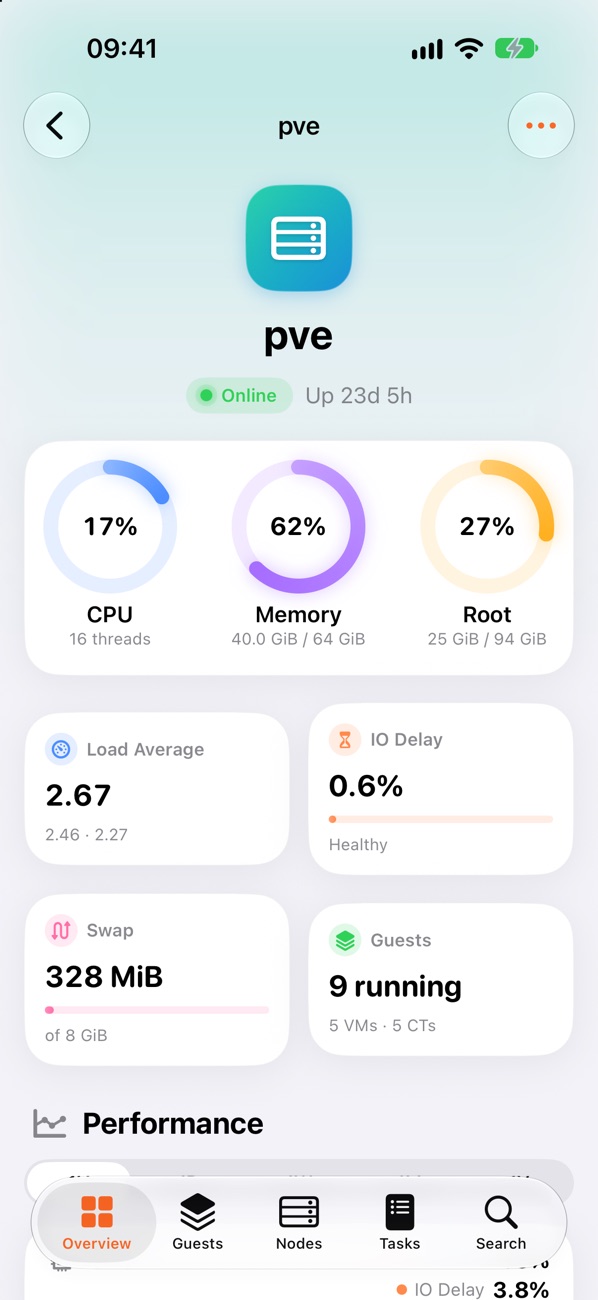
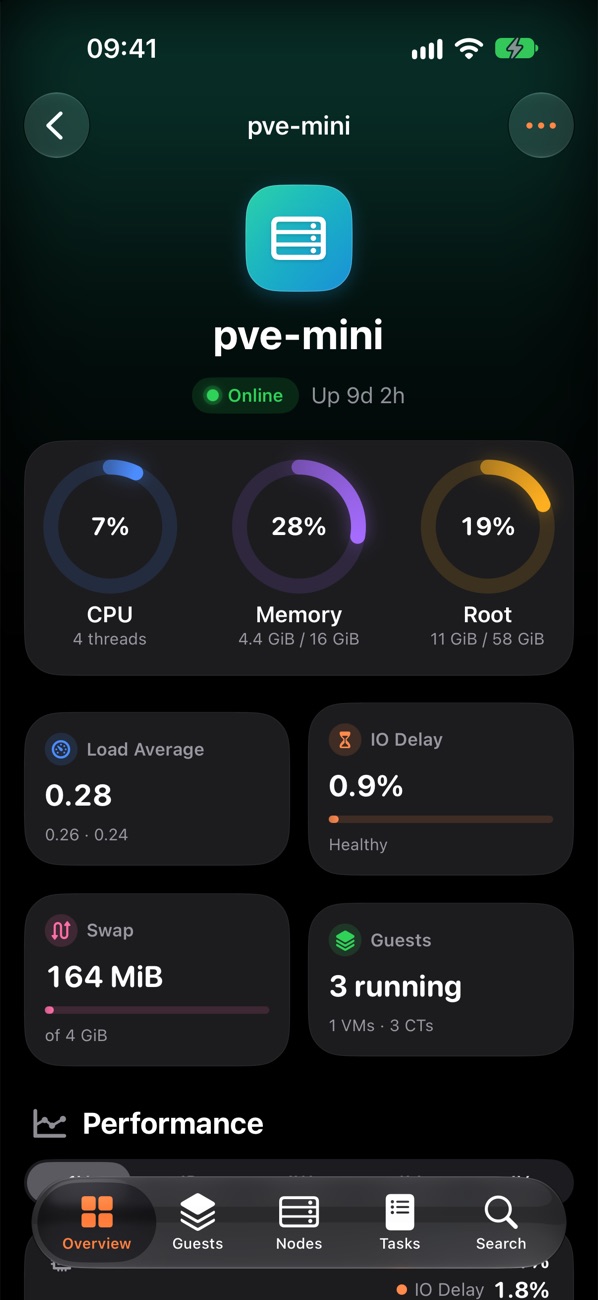
Node health, storage pools, physical disks and SMART status, pending package updates, and reboot or shut down a node.
Console
Open a VM's screen or a container's shell straight from the app — no browser, no logging in again.
Search & tags
Find any guest by name, ID, tag or IP address. Pin favourites to the dashboard so the ones you care about are always first.
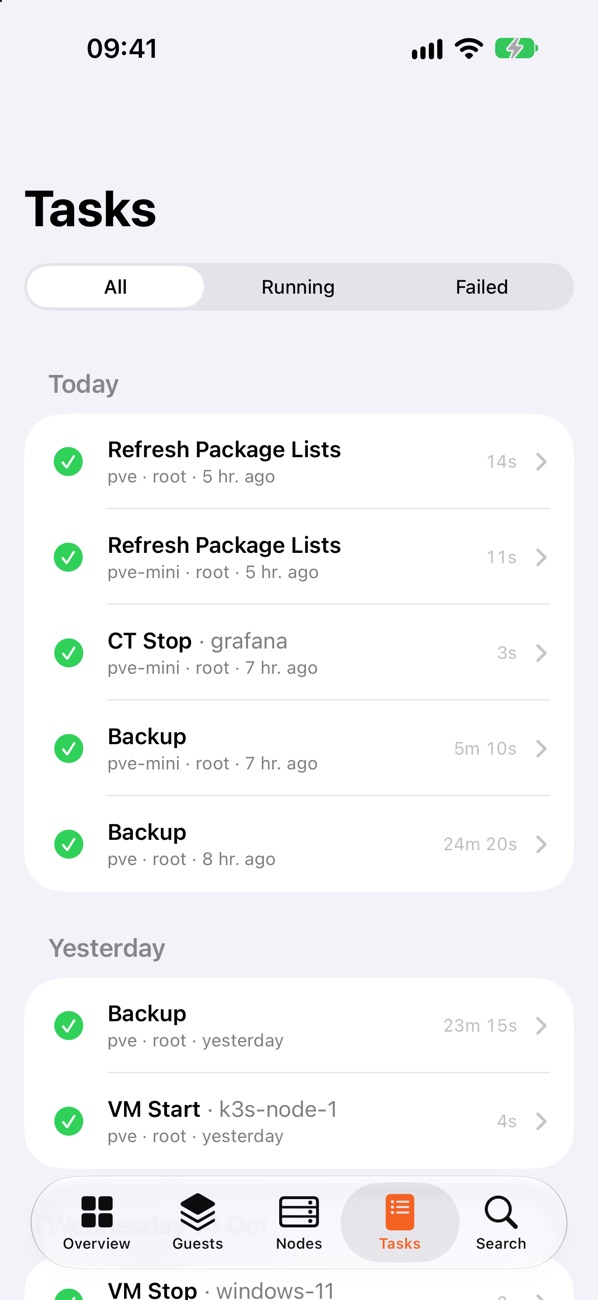
Tasks
Watch long jobs finish with a live log, see what ran recently across the cluster, and stop a task that's misbehaving.
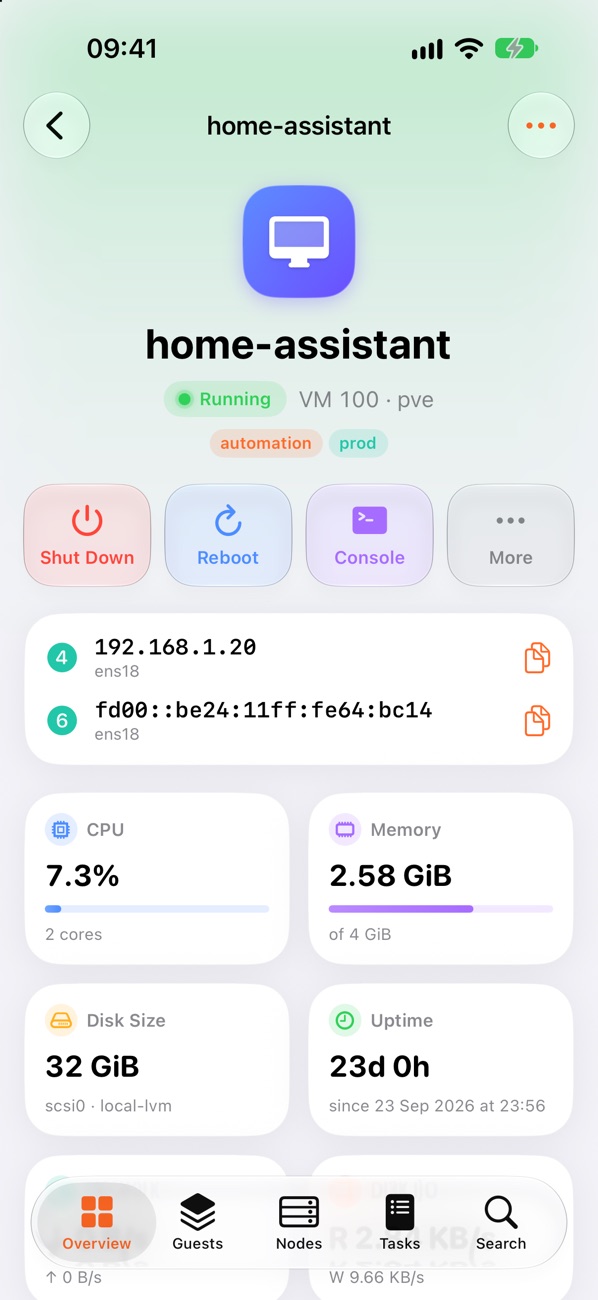
Everything about a guest on one screen.
Status, uptime, IP addresses, live resource use and quick actions up top. Charts, snapshots, backups and hardware one tap away.
- IP addresses from the QEMU guest agent or the container itself
- Change cores and memory, edit notes, toggle start at boot
- Confirmation before anything destructive
Snapshot first. Back up often.
The two things you should do before every risky change are the easiest things in the app.
- Snapshot timeline with RAM state for VMs
- Back up to any backup-capable storage, with compression and mode options
- Restore over the original or delete old backups
Know your hardware is happy.
CPU, load, memory and root disk for every node, plus storage pools, disk health and the updates waiting to be installed.
- Start or stop every guest on a node in one go
- Shell into the node itself
- Task history with full logs
Looks right at 2am, too.
For when the alert comes in after everyone else has gone to bed.
Your server talks to your phone. That's it.
No accounts, no cloud relay, no analytics. Proxly connects straight to your Proxmox server and nowhere else.
Questions you might have.
Do I need to install anything on my server?
No. Proxly uses the standard Proxmox VE API that the web interface uses, on port 8006 by default.
Can I use it away from home?
Yes, as long as your phone can reach the server — for example over WireGuard, Tailscale or another VPN. We don't recommend exposing the Proxmox web interface to the internet.
Should I use an API token or my password?
An API token is the safer choice: create one under Datacenter → Permissions → API Tokens and give it only the permissions you want the app to have. Password sign-in also works, and supports TOTP two-factor codes. The built-in console currently works best with password sign-in.
Does it work with clusters?
Yes. Proxly shows every node in the cluster, and you can save several servers and switch between them.
Can I try it without a server?
Yes. Tap Explore the Demo on the welcome screen for a fully simulated homelab you can poke at freely.
Is this made by Proxmox?
No. Proxly is an independent app and isn't affiliated with or endorsed by Proxmox Server Solutions GmbH.
Coming soon to the App Store.
Proxly is in beta on TestFlight right now, and will be on the App Store soon.